The media could not be loaded.
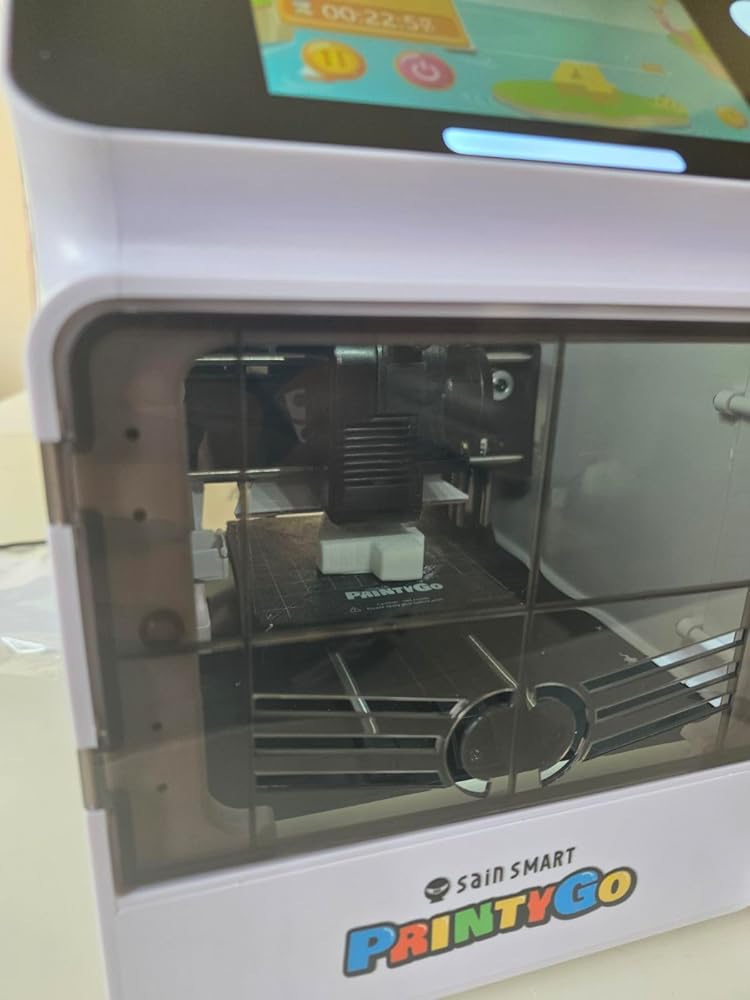
I have been using 3D printers for a few years now, so I generally know my way around setup and the process. I am torn on this review. There are two ways to look at this product. It is a printer marketed for kids, but there is a competitive market for 3D printers, and the $300 list price has some strong contenders.As a kid's printer, this has an easy-to-use interface. Setup is relatively simple. I will note that I had to get a replacement because the first printer I received had an issue with the alignment of the head. The magnet case wouldn't sit properly, and I had trouble leveling the bed. The replacement worked right out of the box. This leads me to my first issue with the machine. The product page has "Auto Leveling" in multiple places. It is not auto bed leveling. If you check the settings, it appears that they pre-level the bed because there is already a Z offset in the settings, and it is set ready to print out of the box. If you find the bed does need adjustment, the leveling process is terrible by today's standards for 3D printing. It is completely manual with the paper test. You have to move the print head around feeling the resistance in the sheet of paper at different points on the bed. If you find one out then you have to move the print head out of the way and remove the build plate before turning one of four corner screws. There isn't easy access for a screwdriver, so I used just the bit, and it was easy enough to turn with my fingers. You then replace the build plate and repeat the paper test, iterating until it provides consistent resistance across the plate. Even low-end printers these days have a semi-automatic bed leveling process where the head will touch off the bed in a grid pattern and provide a height map for leveling. Ignoring that and assuming yours comes preset like my replacement, the rest of the setup is quick and easy. Annoyingly, after you set the Wi-Fi up, it will show a firmware update, which will reset the printer, making you set everything up again, including the Wi-Fi. Once you get past the update, printing is straightforward. There is a library of prints ready to go, or you can use the Kidoodle Slicer or Cura. The library is extensive, and until your kids are comfortable creating their own models, this will keep them busy. As a kid's printer, I give it a 4 for the ease of use (assuming you have the bed leveled) and safety features. If you are not willing to accept the risk of having to tinker with the bed leveling, then this rating may plummet for some people.Highlights as a kid's printer:-Quick setup using prompts on the screen (assuming bed is level on receipt)-Extensive library of catered prints cuts out the complicated slicing process-Open to external prints through USB-Fully enclosed for safety and door alarm if opened during print-Easy touch screen navigation for kids-Low noise level during operation-Fairly speedy printingDownside as a kid's printer:-Fully manual process for bed leveling (product page should remove any mention of auto-leveling)-Location of the filament reel is too close to the tube inlet, making it difficult to install a new filamentReviewing this as a $300 printer is a different perspective. There are many good printers that may not have the safety features and the built-in library for quick and easy prints, but their performance and build quality are way better than this printer. If you can trust your kids with an open printer, you can get a popular name brand that has an actual auto-leveling bed that is heated, including a camera and an ecosystem that will get you close to a built-in library for under $300. You will also have the option to upgrade at some point to do multiple material prints if you buy an AMS. As just a 3D printer, I would rate this two stars compared to the other options in its price point.Highlights as a 3D printer:-Built-in library for beginners-Decent speed-Compact and enclosed-Quiet (relatively)Downsides as a 3D printer:-Extremely small print bed-Build plate is of poor quality with a thin non-stick sticker (I cut my own from an old, bigger plate)-Bed not heated (anything wide and thin is at risk of warping during the print). I printed the bed level test print, and it warped horribly. This might be the worst issue with the printer.-Rails for movement are thin (not as robust as other options)-Can only handle small filament spools (0.25 KG spools)Overall, it is marketed for kids and is easy to use, making it fun for kids to learn about 3D printing, experiencing it firsthand. With the safety features in mind, this is a device that even younger kids can operate with limited supervision. Ultimately, if you are not prepared to help make sure the print bed is properly leveled and at the right Z offset, then stay away from this printer. You could get lucky, and ...